RouteThis Helps App
How to download and use our mobile troubleshooting app.
When should I use RouteThis Helps?
- Slow download speeds
- Poor WiFi connection
- Video Buffering Issues
- Devices dropping from Network
How it works
Step 1
Download the free RouteThis app on your device from the Apple App Store or Google Play Store.
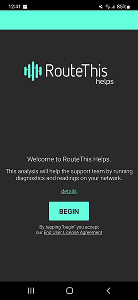
Once installed, open the app and click BEGIN. You will then be asked to enter a code. Please use the code: ALTM.
Step 2
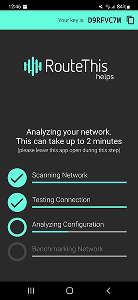
Stand next to your router with your phone and select Network Scan to start the diagnosis.
- The scan will take about 2 minutes.
- Do not minimize the app or check notifications while the scan is running.
Step 3
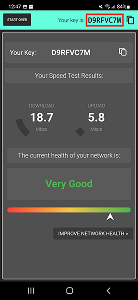
When the scan completes you will see Your Speed Test Result on the screen.
- Keep in mind that the wireless speeds are expected to be approximately 10 - 20% slower than your wired speeds.
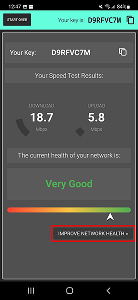
- Click IMPROVE NETWORK HEALTH to see suggestions on how to improve your network speed and follow the instructions on the following screen to fix any network issues.
Still having issues?
Our Technical Support team is available 8:00 AM to 9:00 PM (EST), Monday through Sunday.
Please click here for our contact details.
Each scan you run will produce a unique code in the top right of the app’s screen which you should provide to us for further troubleshooting purposes. Make sure to tell our representative on the phone or via chat that you have run a scan, and share your key with them.